
This feature isn't live yet. Check back soon.

$101 each, shipping included.
Edition 2027-1You're about to enter a job market where everyone assumes you already know how to use AI.
Almost nobody was actually taught.
Most people learn AI by poking at it. They type a question, get a decent answer, and stop there. They never find out what it's actually good at, where it quietly fails, or how to tell the difference. That's not a skill gap you can afford for long.
This book teaches the ideas underneath the tools. Not which app to download, those change every few months, but how these systems work, what they can and can't do, and how to use them without embarrassing yourself.
Every lesson ends with something to actually try. Reading about AI teaches you almost nothing. Using it deliberately, and checking what happened, teaches you a lot.
Some lessons carry a in the contents. It means a curious twelve-year-old could follow the explanation. It does not mean the idea is a small one.
Those are usually the pages we rewrote the most. Anyone can make a hard idea sound complicated; making it land in plain language is the harder job, and it is the one worth doing. If a page carries the smiley, it is the clearest version we could write, not the shallowest.

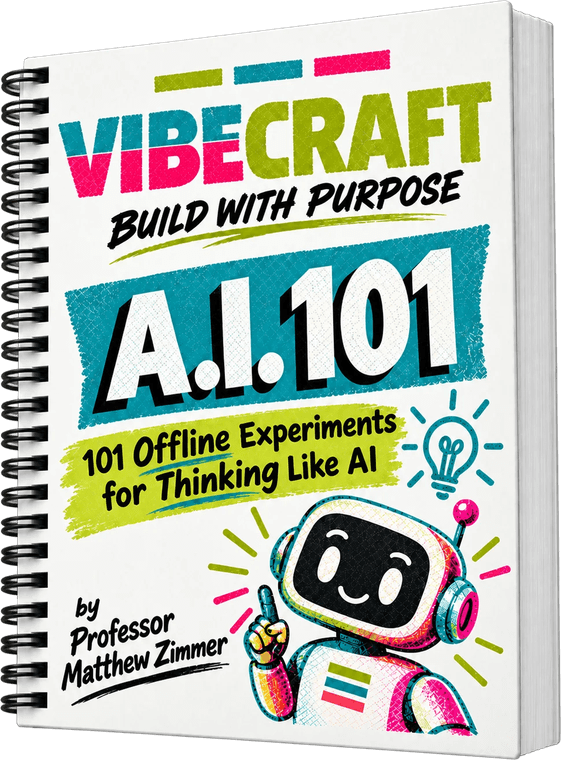
That's Bit. He turns up in the case study inside most lessons, freshly hired by a business with real work to do. A clinic puts him on the phones, a print shop hands him the design work, a newsroom lets him draft. Sometimes he nails it. Sometimes he is confidently wrong, and that is the lesson.
You don't have to read this in order. Skim the contents, find the thing that sounds like a problem you actually have, and start there. Each lesson stands on its own.
Start wherever the problem sounds like yours. Nothing here has to be read in order.
I'm Mr. Z. I build things with AI for a living and I teach people how to do the same. I've watched a lot of smart people either write AI off entirely or trust it way too much, and both mistakes cost them.
This book is the version of AI education I wish existed when people first started asking me how to use this stuff.
VibeCraft is where this comes from. The idea behind it is simple enough to put on the cover: build with purpose. Use the tool because it makes the work better, not because it's the tool everyone's talking about.
You won't find brand names in most of these lessons. That's on purpose. The chat assistant you use this semester may not be the one you use next year, but the way you ask it questions, check its answers, and decide whether to trust it will transfer to whatever comes next.
The word covers about six different things, and mixing them up is the fastest way to get confused.
When most people say AI right now they mean a large language model: a system trained on huge amounts of text that predicts what words come next. That's what a chat assistant is.
It also covers image generators, speech recognition, recommendation feeds, and self-driving software. These work and fail differently.
The systems have converged: the same ideas you learn here about prompting, context, and probability now explain recommendation feeds and agents too, not just chat.
None of these understand what they are saying the way you do. They are very good at patterns, which is enough to be useful and enough to be confidently wrong.
Answer questions, explain, draft, and rewrite. The default thing most people mean by AI.
Work through a problem in steps before answering. Slower, far better at maths and logic.
Write, explain, and fix code. They sit in the editor and see your whole project.
Don't just answer, they act. They browse, run code, and chain steps toward a goal.
Make pictures, clips, music, or a voice from a description. Very different failure modes.
Search ranking, recommendation feeds, fraud detection, autocorrect. Used constantly, rarely called AI.
Find the sentence below that sounds most like you, and start there.
Start with the Foundations lessons. They're short and they make everything else make sense.
Go straight to Prompting. That's almost always the gap.
Thinking Critically. Start with checking accuracy.
Read Using AI Without Cheating on page 10 before anything else.
Work through Foundations and Prompting first, then the Workflow lessons.
How to Use This Book, then the Sample Lesson on page 12 to see the format.
One sentence telling you what problem the lesson solves. If it doesn't sound like a problem you have, skip it.
A short explanation plus where you'd actually use it.
Beginner, Intermediate, or Advanced, with roughly how much practice each takes.
Every lesson ends with something to try. This is the part that actually teaches you.
You can read this entire book in an afternoon and learn almost nothing. The lessons are short specifically so you spend your time doing the exercises instead of reading about them.
Fluent writing feels like correct writing. Your brain will not flag the difference for you, so you have to do it on purpose.
These systems are optimized to produce text that reads well. They are not optimized to produce text that's true. Most of the time those overlap. When they don't, nothing in the output looks different.
So you can't judge by feel. You need actual criteria, applied deliberately, especially on anything you'll submit or act on.
Vague claims are safe and useless. Specific claims are useful and checkable. Prefer output you can actually verify.
If you don't know, that's your answer about whether to use it unverified.
Models often answer a nearby, easier question. Re-read your prompt and check.
Before using anything, ask yourself out loud: what in here would be embarrassing if it turned out to be false? Then check those parts specifically. It takes two minutes and it's the difference between using AI well and getting caught out by it.
If you're learning, free is genuinely fine. If you're building things, one good paid tool beats four mediocre ones.
For learning concepts, asking questions, checking your understanding, and most schoolwork, free tiers are completely adequate. You can do most of this book without spending anything, and you should start there.
Where free starts to hurt is building. Ask a weak model for a working app and you'll get something broken, then conclude AI is overhyped. That's the wrong lesson, learned from the wrong tool.
Four subscriptions because each is slightly better at one thing is the most common and most expensive mistake.
These are month to month. Spend a month with one, then switch. After three months you'll know which suits how you work, having paid for one at a time.
Many universities give students paid access free. Ask before you buy something you already have.
A paid plan does not make the output true. Paid models still invent sources, still have a knowledge cutoff, and still need checking. Money solves capability and capacity problems. It does not solve judgement problems, and judgement is what this book is actually about.
A short list you can run in under two minutes, before anything gets submitted or acted on.
If the answer is “nowhere it could plausibly know,” stop. Recent events and private information are common failure zones.
Names, numbers, dates, and quotes can be verified. Vague generalities can't, which is its own kind of warning.
If you asked it to argue a position, it will, whether or not the position holds up.
A surprisingly effective gut check. Most of the time the honest answer is no.
If you can't evaluate the answer, you can't use it unverified. That's the whole rule.
One of these makes you better at your work. The other makes you dependent.
Low stakes, move on. Graded, published, or acted on, verify it.
“Would I bet money on this?” catches most of what the other questions catch, and you'll actually remember to ask it.
This is the lesson most likely to save you from a very bad meeting with your department.
There is no universal rule. Policies differ by school, by department, and often by individual professor for the same course. Anyone who tells you a blanket answer is guessing.
What doesn't change: submitting work you didn't do and can't explain is the thing that gets people in trouble. Everything else is negotiable and usually written down somewhere you haven't read yet.
Having AI produce a first draft you then heavily revise. Some courses allow it, some call it plagiarism. Ask.
Usually fine for grammar and clarity. Less fine when it substantially rewrites your argument.
Almost never acceptable, and easily the most common way people get caught.
Could you explain every sentence you're submitting, in your own words, if asked on the spot? If yes, you're almost certainly fine regardless of how you got there. If no, you have a problem, and it's the same problem whether AI wrote it or a friend did.
Most of the impressive things people do with AI aren't one clever prompt. They're four ordinary steps in a row.
A single tool doing a single thing is where everyone starts. The jump in usefulness comes from chaining: use one tool to produce something, another to check it, a third to reshape it into what you actually needed.
You don't need special software for this. Copy and paste between tools is a workflow. It just has to be deliberate rather than accidental.
Ask for ten possible angles on your essay topic. Most will be generic. Two might be interesting.
You pick the angle. This is the step people skip, and it's the step that makes the work yours.
Ask for counterarguments to your chosen angle. Now you're using it to stress-test rather than to generate.
Check any factual claims against real sources before they go anywhere near your draft.
Feeding AI output back into AI repeatedly, with no human judgment in between, produces confident nonsense that drifts further from reality at every step. The point of stacking is that you're in the chain, not that you've removed yourself from it.
One sentence naming the problem this lesson solves, in the words a student would actually use.
A short, plain explanation of the idea. Two paragraphs at most, no jargon, written like a person talking rather than a textbook.
The second paragraph usually says how you'd apply it, and points to the next page.
Beginner
Know it
Intermediate
Use it
Advanced
Teach it
Every case describes a real-feeling business and a process where AI is quietly involved. Bit is usually somewhere nearby, watching it happen.
Step 1, state the problem: state the problem in one sentence, in your own words, before you build anything.
Step 2, pick your goal: every case offers the same two, in that business's own words. More money in, or less money out? The story sets up both. You choose.
Step 3, build a fix: whatever moves the goal you picked. A product, a marketing piece, a workflow, a policy; the medium is entirely up to you.
Lesson detail
What to do first. Steps are short and in order.
Usually the part where you actually try something.
Often where you check or compare your result.
Ends with something you keep or can point at.
The thing everyone should leave with, colored to the Beginner level.
What you get once you've actually practiced it.
The insight that only shows up once you can teach it.
Written so you can honestly self-assess without a quiz.
Concrete and observable, not "feel confident about."
Often the clearest evidence something landed.
What the skill saves, or what it brings in.
Nearly everyone makes this one. Named plainly so you can skip it.
Harder to catch, because the output still seems fine.
Usually saves a minute and costs an hour.
Sometimes the answer is that AI isn't what you needed here.
Not every lesson teaches the same kind of thing, so the second page changes depending on what you're learning.
An idea you need to understand before anything else makes sense. Page 2 covers: How to do it · Key takeaways · How to know you've got it · Common mistakes.
Something you practice until you're good at it. Page 2 covers: How to do it · What good looks like · How to know you've got it · Common mistakes.
Several steps chained into something bigger. Page 2 covers: The steps in order · What you end up with · How to know you've got it · Where it breaks.
Deciding well when there isn't a clean right answer. Page 2 covers: How to think it through · Questions to ask · How to know you've got it · Common traps.
Page 1 is always the same shape: the problem it solves, the idea, where you'd use it, three skill levels, related lessons, and an assignment. That means you can compare any two lessons directly even when they teach very different things.
The format is printed in the header next to the lesson number, so you know what kind of thing you're about to learn before you read a word of it.
Short, practical, and built around one thing you can actually try.
Old computers only ever said yes or no. AI says “probably.” That one change explains almost everything that feels strange about it.
A record is analog. The groove is a physical wave and the needle traces every wobble in it. Nothing gets rounded off, because there are no steps to round to.
A CD is digital. The same music is measured about forty-four thousand times a second and each measurement is saved as a number. Between two measurements there is nothing. A light switch is the same idea at its simplest: on or off. A dimmer is the record.
When AI picks the next word, it is not looking one up. It is scoring thousands of options and giving each a percentage. Maybe “cat” is 41%, “dog” is 22%, “bicycle” is 0.004%. Then it picks, usually from near the top.
That is why the same question can give you a different answer twice. Nothing broke. You are watching a machine make a judgement call instead of a lookup, which is much closer to how you think than how a calculator thinks.
A calculator can be exactly right. A model can only be very probably right. Those are different things and need different amounts of checking.
When it sounds sure, that is a writing style, not a measurement. The actual number is hidden from you.
Because everything is probabilities, a slightly clearer question really does shift the answer. That is why prompting works at all.
Use binary tools for anything that must be exact. Use AI for things where a very good guess is genuinely useful.
You've used it. But do you know what it's doing when it answers you, or why it sometimes makes things up with total confidence?
A language model doesn't look things up. It predicts the next piece of text based on learned patterns. That explains almost everything about how it behaves.
It's why it writes fluently, why it can be confidently wrong, and why how you ask changes what you get. Understand prediction, and the rest of this book makes sense.
Beginner
Know what it is
Intermediate
Know why it fails
Advanced
Explain it to others
Riverside Family Clinic hired Bit to answer questions about hours, insurance, and wait times, day and night, alongside their front desk and online booking page. Most days Bit gets it right. Some days he confidently tells a patient something untrue, and nobody notices until they're standing in the waiting room, annoyed.
Step 1, state the problem: in one sentence, what is Riverside's real problem here? Not “the assistant is bad.” Something more specific.
Step 2, pick your goal: more money in (more patients book and show up) or less money out (front desk stops fixing Bit's answers)?
Step 3, build a fix: whatever moves the goal you picked. A better prompt, a short policy on what Bit should never guess at, a sign for the waiting room; the medium is yours to choose.
Lesson detail
Before reading further, write down how you think AI generates an answer. You'll check this later.
Read about next-token prediction. The model picks a likely next piece of text, then repeats.
Identify three things a predictive model cannot reliably do, such as cite a source it never saw.
Go back to your guess. Correct whatever was wrong, in your own words.
Answers are generated from patterns, not looked up in a database. Nothing is being searched unless a tool is explicitly doing that.
The model has no internal sense of being unsure. It writes a wrong answer in exactly the same tone as a right one.
Because it continues patterns, what you give it heavily determines what you get. That's why prompting is a real skill.
If you can tell a friend how AI works in two sentences without saying "algorithm," you understand it.
Name a question you're confident a model will get wrong, then test it. Being right means you understand the limits.
You know when AI helps and when a search engine, calculator, or textbook is better.
Name who pays for it: the business loses a customer, or someone burns an hour undoing it.
Unless a tool is explicitly turned on, it isn't looking anything up. It's generating from memory of patterns.
Arithmetic is not what prediction is good at. Use an actual calculator for actual math.
Made-up sources look exactly like real ones. Every citation needs checking.
Different tools behave very differently. The one you tried first is not the whole field.
You asked for “short” and “professional.” You got neither, because you never said what those words meant.
Every prompt is full of words that feel precise and aren't: short, simple, professional, improve. Each has many meanings, and the model quietly picks one for you.
The cost isn't one bad answer. It's the round trips: you regenerate, you nudge, you settle for close enough, and never notice you accepted a definition you didn't choose.
Beginner
Spot the vague words
Intermediate
Define them inline
Advanced
Reuse your definitions
Ferro Print & Design hired Bit to draft their flyers, menus, and social posts. A client asks for something “clean and professional,” Bit guesses, sends a draft, gets “not quite,” and guesses again. Nine rounds later, everyone's still guessing.
Step 1, state the problem: in one sentence, what is actually costing Ferro here? Be specific about where the process breaks down.
Step 2, pick your goal: more money in (Ferro finishes more paying jobs a week) or less money out (no more unpaid do-overs)?
Step 3, build a fix: whatever moves that goal. An intake form, a brief template, a finished sample; the medium is yours.
Lesson detail
Don't improve it yet. You need the honest version to compare against.
Any word a reasonable person could read two ways. Most prompts have three or four.
A word count, a reading level, a named audience, a format, or a short example.
Same tool, same session. The gap between the two outputs is the cost you'd been paying.
Short, clear, and professional all sound like instructions. They're actually decisions you handed off without noticing.
“Under 150 words, for a first-year student” does more work than a paragraph describing the tone you want.
Once you've decided what professional means for your work, you can paste that definition into every future prompt.
Reading your prompt back and finding three undefined terms is the whole skill.
Showing one line of what you want beats describing it every time.
If a classmate gets your result, your terms were defined.
First or second try, not the fifth. Each round you skip is money nobody spends.
It doesn't know your course, your professor, or what your class means by “analysis.”
Swapping professional for polished changes nothing. Name the audience instead.
You don't need to specify all twelve variables. Define the two or three that actually matter to you.
Redefining the same terms from scratch every session is the slow version of this mistake.
The most expensive mistake students make with AI is submitting something they never verified. It reads well, so it feels finished.
AI output is a draft written by something with no concept of being right. It can invent quotes, misattribute ideas, cite papers that don't exist, and do it all in confident, well-structured prose.
Verification is a skill you can learn and apply quickly. It's also what separates people who use AI well from people who get caught out by it.
Beginner
Spot the risk
Intermediate
Verify efficiently
Advanced
Verify by default
The Weekly Current hired Bit to help reporters draft fast on a packed schedule. Editors are stretched thin, and the newsroom already got burned once by a statistic Bit invented, confidently, in a draft nobody caught in time. Nobody has changed how they work since.
Step 1, state the problem: in one sentence, what is the actual risk The Weekly Current is running by not changing anything?
Step 2, pick your goal: more money in (readers still trust the paper) or less money out (no days lost to corrections)?
Step 3, build a fix: whatever moves that goal. A checklist for editors, a short verification workflow, a one-page policy for reporters; the medium is yours.
Lesson detail
Underline every number, date, name, quote, and citation. Those are your verification list.
Find the original. A real paper, a real page, a real book, not another AI summary.
Ask a different tool the same question. Disagreement is a signal to dig further.
Keep what survives, cut what doesn't, and note what you couldn't confirm.
Numbers, dates, quotes, and citations are the highest-risk parts of any AI answer.
Well-written and well-structured says nothing about whether it's true.
Checking five claims takes a few minutes. Submitting a fake citation costs far more.
Verification happens automatically, not only when something feels off.
Once you've found one yourself, you'll never fully trust one again.
You know a general explanation is safer than a specific statistic.
A correction burns a day of work, and some of the trust that pays everyone here.
Formal tone is a writing style, not a truth signal.
Asking "are you sure?" often just produces a confident repeat. Use a different source.
Errors hide in the supporting details, which is exactly what gets cited.
Models often attach invented titles to genuine researchers.
continued