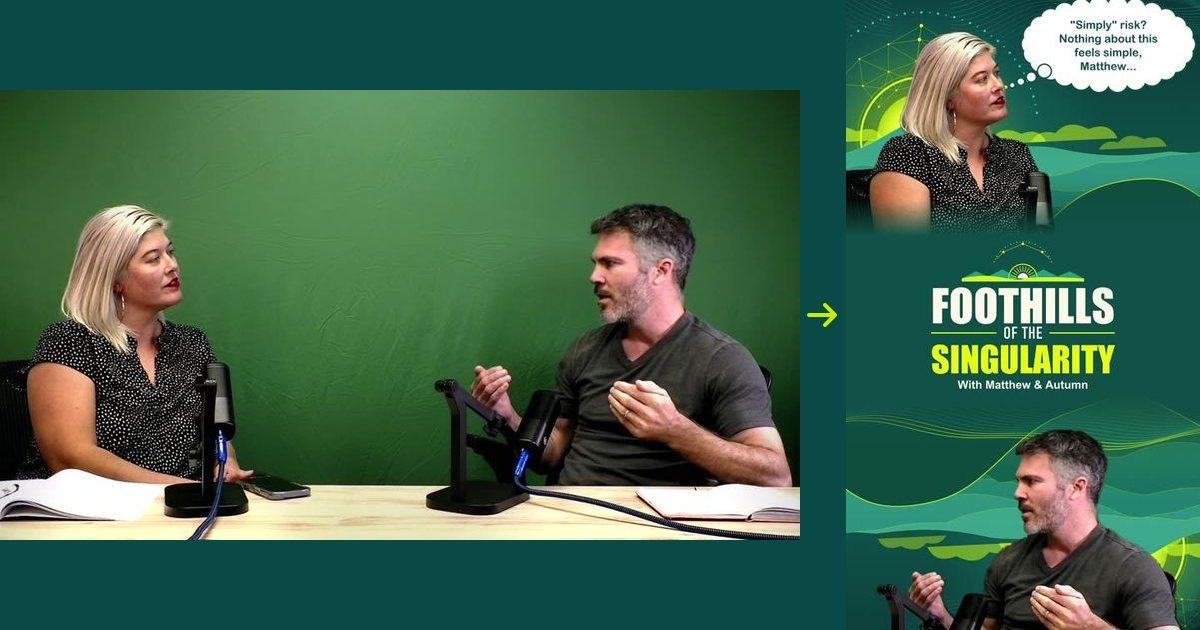
We record our podcast as one wide shot of both hosts against a green screen. We wanted short vertical clips for LinkedIn, stacked and captioned, and we didn't want to spend evenings in a video editor. So we handed the job to Claude, in one conversation, and never opened editing software. Five recordings became eight clips, each 60 to 110 seconds, in about four hours of an evening, from around 30 messages, for about $7 of A.I.
This note covers what Claude built, which instructions we gave and which decisions we trusted it to make, and where that trust needed a second look.
One conversation, no editor
We used Claude Code in the Claude desktop app, on Claude Sonnet 5.5, pointed at the folder holding the five recordings. Claude ran the commands and wrote the scripts. Our job was to say what we wanted, look at what came back, and say what was off.
| Starting point | Five green-screen recordings, about 62 minutes in all |
| Finished | Eight vertical clips, 1080×1920, captioned |
| Working time | About four hours, one evening |
| Messages from us | About 30 |
| A.I. cost | About $7 at API prices |
| Software we installed ourselves | None |
That last line is the one we'd underline. When we asked for transcripts, Claude first checked what was on the Mac. There was no ffmpeg and no Whisper. It didn't ask us to install anything. It made a temporary Python environment, installed mlx-whisper into it, and got a working copy of ffmpeg through a Python package, imageio-ffmpeg. Everything else it needed later, from audio analysis to image drawing, it installed the same way.
What we told it, and what we trusted it with
Looking back over the conversation, our messages split cleanly. We gave guidance on what and why: the goal, the audience, the look, and whether something felt right. We left almost all of the how to Claude, and checked the results with our own eyes.
| We told it | We trusted it to | We checked | |
|---|---|---|---|
| Tools | Nothing | Find, install and run everything it needed | Nothing; it just worked |
| Clips | The goal (leads, audience), who it's for, that profanity was fine | Read the transcripts, pick moments, set in and out points | Which clips we liked |
| Layout | "Vertical, maybe stack us with the logo in the middle" | Every crop, scale and offset | The look, on a still |
| Green screen | "Swap out the green" | Choose and tune the keying method | That we weren't see-through |
| Background | A reference image, "in the style of the new logo", flip and shift | Draw the vector art | Every version, as a still |
| Captions | "Put them by the person saying them" | Work out who's speaking | Whether lines landed under the right person |
| Thought bubbles | The idea and the tone: fun, friendly doubt | Write the lines, time them, draw them | Position and shape |
| Finished files | Nothing | Render, queue, and say when done | That the video moved, and that "done" meant done |
The right-hand column is where the trust was earned or lost. Claude made dozens of good technical calls we never had to think about. The places it went wrong were all places where we'd trusted it to check its own work, which is the subject of a section further down.
Two kinds of guidance did most of the work. Goals let Claude make choices we couldn't have specified: we didn't know which 60 seconds of an hour would land, but "consulting leads" and "beginners and experts" told it what to look for. Reactions steered everything else: "too far left", "less square", "the 01 clip has no video". We never told it how to fix anything, only what was wrong.
One recipe, run once per clip
What Claude ended up building is a chain of commands and short scripts. Once it worked for one clip, a new clip was the same recipe with a new start and end time.
- Transcribe. Word-level timestamps for every recording.
- Pick clips. Hooks, back-and-forth, a clean ending.
- Stack. Crop each person and put one above the other.
- Key the green. A custom matte instead of the stock filter.
- Blend the background. Vector art plus a feathered logo band.
- Caption. Under whoever is actually talking.
- Fill the silence. Thought bubbles for the host who talks less.
- Export. A full-size master plus a small upload copy.
Start from one wide shot
We record in Ecamm with both hosts side by side. That gives one 1920×1080 frame and one mixed audio track. A single wide frame keeps the later steps simple: each person is a rectangle you can cut out of the same picture.
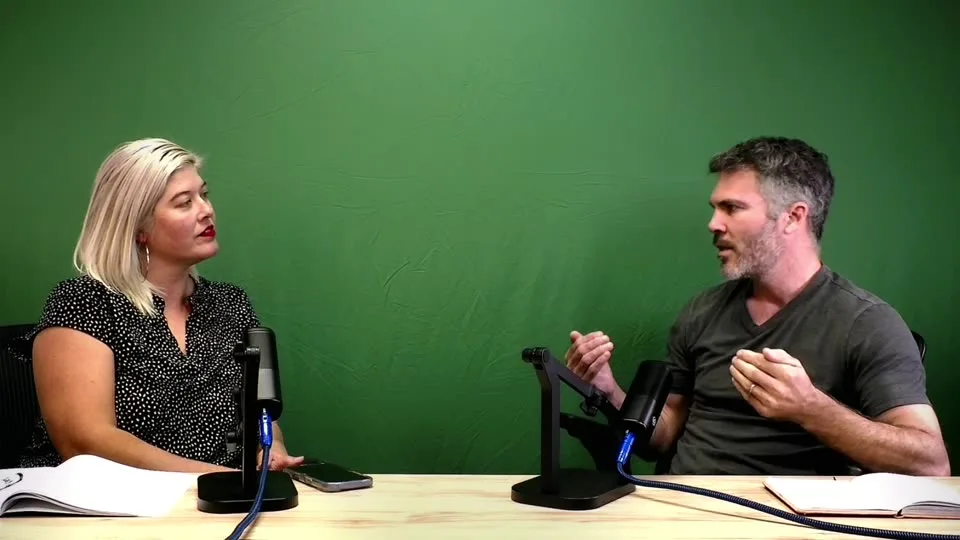
One audio track also means the video has no built-in way to know who is speaking. That comes back at the captions.
Transcribe with word timestamps
Claude ran each recording through Whisper (the large-v3-turbo model, running locally on the Mac) and saved a plain text file and an SRT file per recording, with a timestamp on every word. All five took under ten minutes. Word-level times let you cut a clip on a clean breath instead of mid-sentence, and they drive the captions later.
Claude also flagged what it hadn't checked: it had only skimmed the first lines of each file, one recording came out with almost no punctuation, and short replies like "Yeah." got near-zero-length timestamps. That kind of note is worth asking for, because it tells you where to look.
Let the A.I. ask before it picks
Our first request was loose: which clips would do best on LinkedIn? Claude didn't pick straight away. It asked eight questions first: what the clips were for, who they were aimed at, whether profanity was fine, whether it mattered who was speaking, and what shape the video should be.
Our answers set the brief. The clips should bring in consulting leads and grow the podcast's audience. They should reach both A.I. beginners and experts who might argue with us. Profanity was fine and nothing was off limits. On the shape, we answered half-formed: vertical, maybe split and stack the two of us with the logo covering the middle. That half-formed answer became the layout.
Then Claude read all five transcripts and came back with clips, each with a source recording, start and end times, a length, and a reason it fit the brief. We asked for more back-and-forth later, and it found four more exchanges the same way.
| Clip | Opening line |
|---|---|
| 04 | "What's technology?" The hosts argue that soap counts. |
| 02 | There will never be a 0% chance your Waymo drives off a cliff. |
| 07 | How did you learn all the things about A.I.? "Playing." |
| 03 | How to hire: 30 minutes, use A.I., and I'll talk to you while you do it. |
| 01 | A.I. is simply a risk conversation. |
| 05 | Everybody is an A.I. expert. Nobody is selling. |
| 08 | Is A.I. actually fun? |
A clip that ended on a laugh or a half-finished sentence got trimmed until it ended on a full thought. For clip 04, Claude chose to end on Autumn's "Of course chemistry is technology," so the argument lands on a concession.
Stack the two people
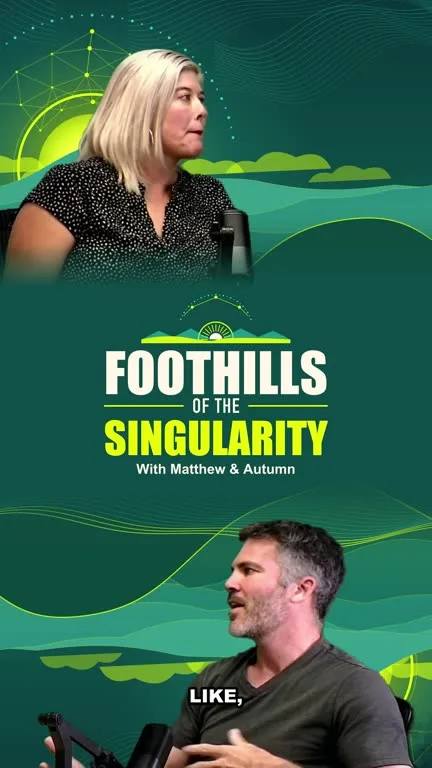
The clip is vertical, 1080×1920. Claude cuts a 960×640 rectangle around each person, scales it up to 1080×720, and places one above the other, with the show's logo in the gap.
- Autumn comes from the left half of the frame:
crop=960:640:0:190. She fills the top 720 pixels. - Matthew comes from the right half:
crop=960:640:960:180, and fills the bottom 720. The offsets differ because the two sit at slightly different heights. - The logo band runs from 510 to 1410 pixels, taller than the gap, and fades into the background, so the people overlap it slightly instead of sitting on a hard strip.
Remove the green
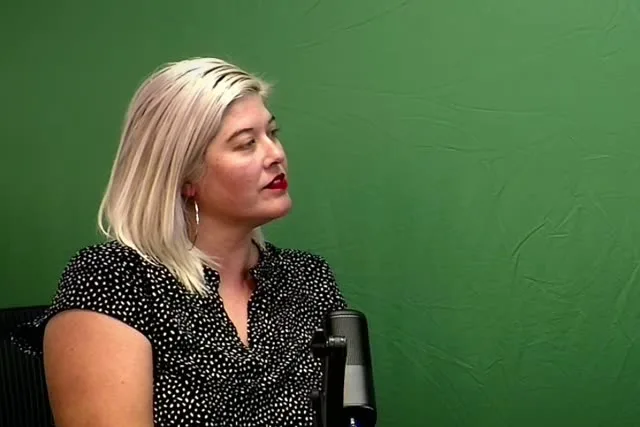
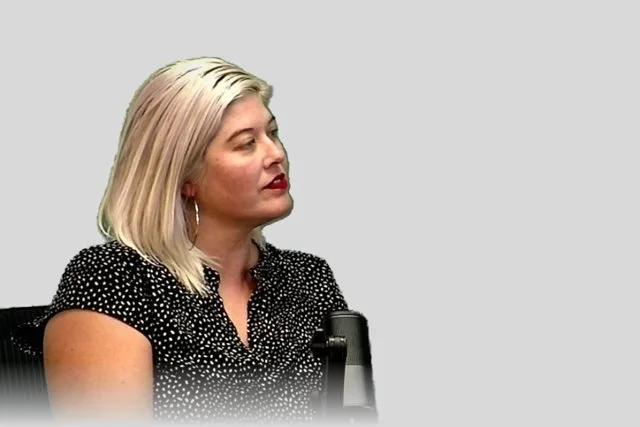
ffmpeg's off-the-shelf chromakey filter made both of us see-through. Matthew's dark grey shirt and dark hair are close enough to the green that the filter treated them as background. Claude replaced it with a matte built on one idea: a pixel is background when its green is clearly higher than both its red and its blue.
# alpha = 0 where green beats red and blue by a clear margin
format=gbrap,geq=
  r='r(X,Y)':
  g='min(g(X,Y), max(r(X,Y),b(X,Y)) + 3)':   # despill: pull green back toward the other channels
  b='b(X,Y)':
  a='255*(1 - clamp((g - max(r,b) - 9) / 16))'
Two details do most of the work. The despill line clamps green so hair and shoulders don't keep a green halo. And the matte ramps over a 16-level range instead of cutting at a threshold, which keeps soft edges on hair. For the top panel there's also a fade on the bottom 110 pixels, so Autumn's lower edge dissolves into the background instead of ending on a hard line.
Claude tested the key on single frames before rendering anything. A five-minute render is an expensive way to find out a shirt went transparent; a still frame takes seconds.
Steer on a still, not a render
With the green gone, something has to sit behind both hosts. We dropped a reference image into the folder and asked for vector art in the style of the logo. Claude drew it as an SVG: layered hills, a sun with a node pattern, and fine contour lines.

Then we asked for the bottom panel's art to be flipped both ways. Claude started re-rendering the whole clip. We typed "no", meaning just show me the picture. Claude stopped the render, said it might have misread us, and asked what "no" meant, offering three likely readings. We sent a rough sketch instead, and from then on every layout change happened on a still image: flip the bottom so its sun lands at the right, shift the top's sun left to match, and only then render.
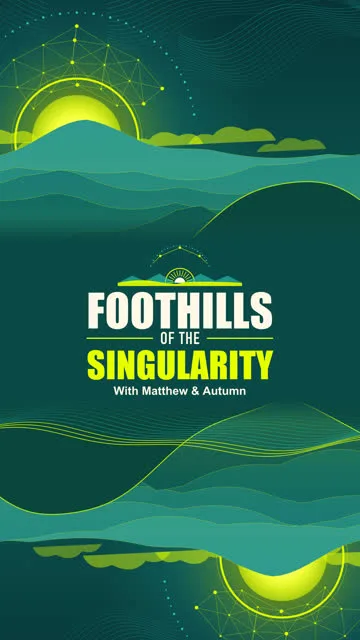
Our first look at the middle band was a flat teal strip. We asked for it to blend more naturally. Claude rebuilt it as a 900-pixel-tall image with a smooth feather, about 230 pixels each side on a smoothstep curve, and moved it behind the people so the fade didn't eat into them.
Captions under the right person
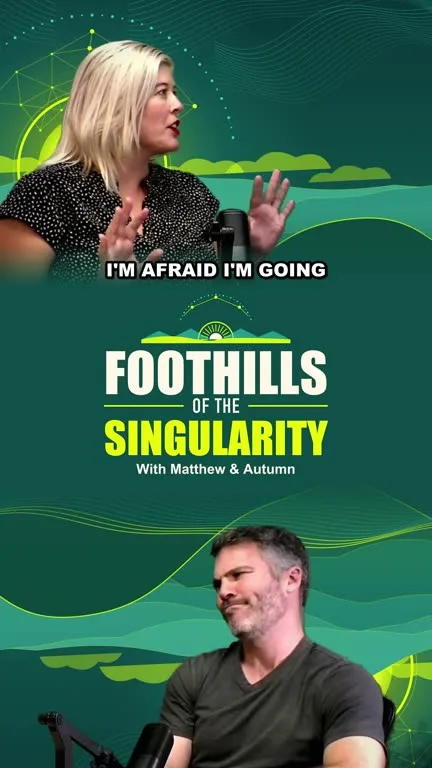
Captions are burned in with ffmpeg's subtitle filter from an ASS subtitle file. ASS lets each line carry its own style, which is how captions land in different places: Autumn's sit just below her panel, Matthew's near the bottom of the screen.
Style: A, Arial Black, ..., MarginV=1215   # Autumn: under her panel
Style: M, Arial Black, ..., MarginV=150    # Matthew: near the bottom
Dialogue: 0,0:00:12.40,0:00:14.10,A,,0,0,0,,I'M AFRAID I'M GOING
The hard part is deciding who said each line. With one mixed audio track, a transcript has words but no speakers. Claude's first try went through three detectors, and none was reliable:
| Approach | Result |
|---|---|
| Pitch of the voice | Labels were poor. |
| Clustering audio features (MFCC) | Also poor. |
| Lip movement in the video | Didn't separate speakers reliably. |
| Claude reading the transcript | Usable, but it guessed wrong in fast exchanges. |
| Voice profiles | Worked. Embed a few seconds of each person, score each short window of audio against both, and smooth the result. |
So Claude fell back on reading the exchanges and deciding who'd said what, the way a person would from a script. It said plainly that this would get some fast exchanges wrong, and it did: we noticed captions under the wrong person and asked whether there was a better way to separate the two of us.
That push is what got voice profiles. Claude built a profile of each host with a voice-embedding model, Resemblyzer, from clear stretches of speech. Every short window of a clip is scored against both profiles, and a smoothing pass (Viterbi) stops the label flipping back and forth for a split second. Against the lines we'd labeled by hand, it agreed 86 to 89 percent of the time, and some of the disagreements were mistakes in our labels. It immediately caught lines Claude had given to the wrong person in its earlier pass.
It's still weak on one-word interjections and very fast exchanges. Clip 04 is all quick, short turns, so it stayed hand-labeled. Where we heard a wrong label, we told Claude the line and it pinned that time range to the right speaker.
Fill the silence
Autumn talks less than Matthew in the longer clips, so her panel can sit still for a minute. We asked for thought bubbles showing what she's probably thinking, based on what she says later in the conversation: a bit fun, doubting Matthew, but friendly.
This is where the A.I. did the writing, not just the plumbing. Claude read ahead in each transcript to Autumn's actual replies and wrote lines in her voice: "'Simply' risk? Nothing about this feels simple, Matthew..." and "Oh good, 'just be playful.' Super specific." It timed each one to what Matthew was saying at that moment.
Each bubble is drawn once as a transparent 1080×430 image with Python's Pillow library: an oval of overlapping scallops, a white fill with a teal outline, and a trail of shrinking circles leading toward her head. ffmpeg fades each one in and out over 0.3 seconds.
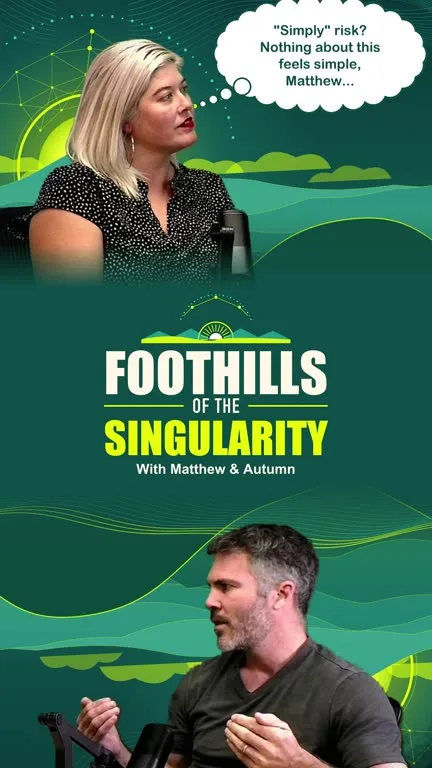
It took three versions. The first trailed down toward her chest, so it read as a speech bubble coming from her body. The second pointed the right way but sat too far left. The third moved right and changed from a rounded box to a cloud-like oval. Each round, Claude checked a single sample frame before re-rendering three whole clips.
Put it together and export
All of this is one ffmpeg filter graph per clip, written and run by Claude. Simplified, it looks like this:
ffmpeg -ss START -t LENGTH -i recording.mov -loop 1 -i band.png -loop 1 -i bubble.png ...
 -filter_complex "
  [0:v]split[l][r];
  [l]crop=960:640:0:190,scale=1080:720,<key + bottom fade>[top];
  [r]crop=960:640:960:180,scale=1080:720,<key>[bot];
  color=c=0x0a4a46:s=1080x1920[bg];
  [bg][bgTop]overlay=0:0[v1];  [v1][bgBottom]overlay=0:1200[v2];
  [v2][band]overlay=0:510[v3];
  [v3][top]overlay=0:0[v4];    [v4][bot]overlay=0:1200[v5];
  [v5][bubble]overlay=0:0,subtitles=captions.ass"
 -c:v libx264 -crf 23 -c:a aac -b:a 160k -movflags +faststart out.mp4
Layer order matters: background art first, then the logo band, then the two people, then the bubble, and captions last so nothing covers them. Each clip took about five minutes to render on a laptop, because the key runs per pixel on every frame. Claude ran the renders as a queue in the background and kept answering questions while they ran.
For uploading through a browser tool with a 10 MB limit, it also made 720×1280 copies at about 5 to 7 MB. The full-size files stay as the masters.
Where the trust broke
Most of the evening went smoothly. The two real mistakes were both in the right-hand column of that table: things we'd trusted Claude to verify on its own.
- It checked its own output instead of the source. We said the first clip looked like a still photo. Claude checked frames five seconds apart, saw they differed, and told us the video was fine. It wasn't: one of the five recordings held a frozen frame for almost all of its 15 minutes while the audio kept going, and two of the first three clips came from it. The frames had differed only because the captions changed. When we pushed back a second time, Claude checked the source recording second by second, found the freeze, said its earlier answer was wrong, and replaced both clips with moments from recordings that move.
- It called a clip done while it was still rendering. Asked "done?", Claude reported a clip finished when only part of the file existed, then corrected itself in the next message. The fix is simple: wait for the render to exit and check the file's full length before calling it done.
The pattern behind both: Claude was honest about what it had checked ("I checked one frame and haven't watched the whole clip"), but a check of the wrong thing still sounds like a check. Read those lines closely, and ask "checked against what?"
What we'd tell you before you try it
- Guide the what, trust the how, check the result. Spend your words on goals and taste. Leave tools and techniques to the A.I. Keep the final check, especially "is it done?" and "is it right?", for yourself.
- Give the goal, not the steps. "Clips for LinkedIn that bring in consulting leads" got better choices than a list of timestamps would have, and it let Claude ask the questions that mattered.
- Answer half-formed. "Maybe stack us with the logo in the middle" was enough. You don't need to know ffmpeg to direct it.
- Change things on a still. Layout, colors, bubbles: settle them on one frame. Render once you like it.
- Push back when something's off. The voice profiles, the frozen recording and the bubble placement all came from us saying "this isn't right" or "is there a better way?"
- Watch the clips yourself. Claude checked frames, not whole clips, and said so. The last look is yours.
What came out of it
Eight finished clips from five recordings. Seven are scheduled on LinkedIn at 8:30 AM Pacific across about two weeks, each with a plain one-sentence opener and a question at the end. The first clip we posted got little reach, so this note is about the process, not a claim about performance. We'll update it with how the scheduled set does.
The tools Claude used: ffmpeg (with libx264 and libass), Whisper through mlx-whisper, Resemblyzer, librosa and scikit-learn for the speaker experiments, and Python with Pillow and fontTools. All free, and all installed by Claude into a throwaway environment.
